

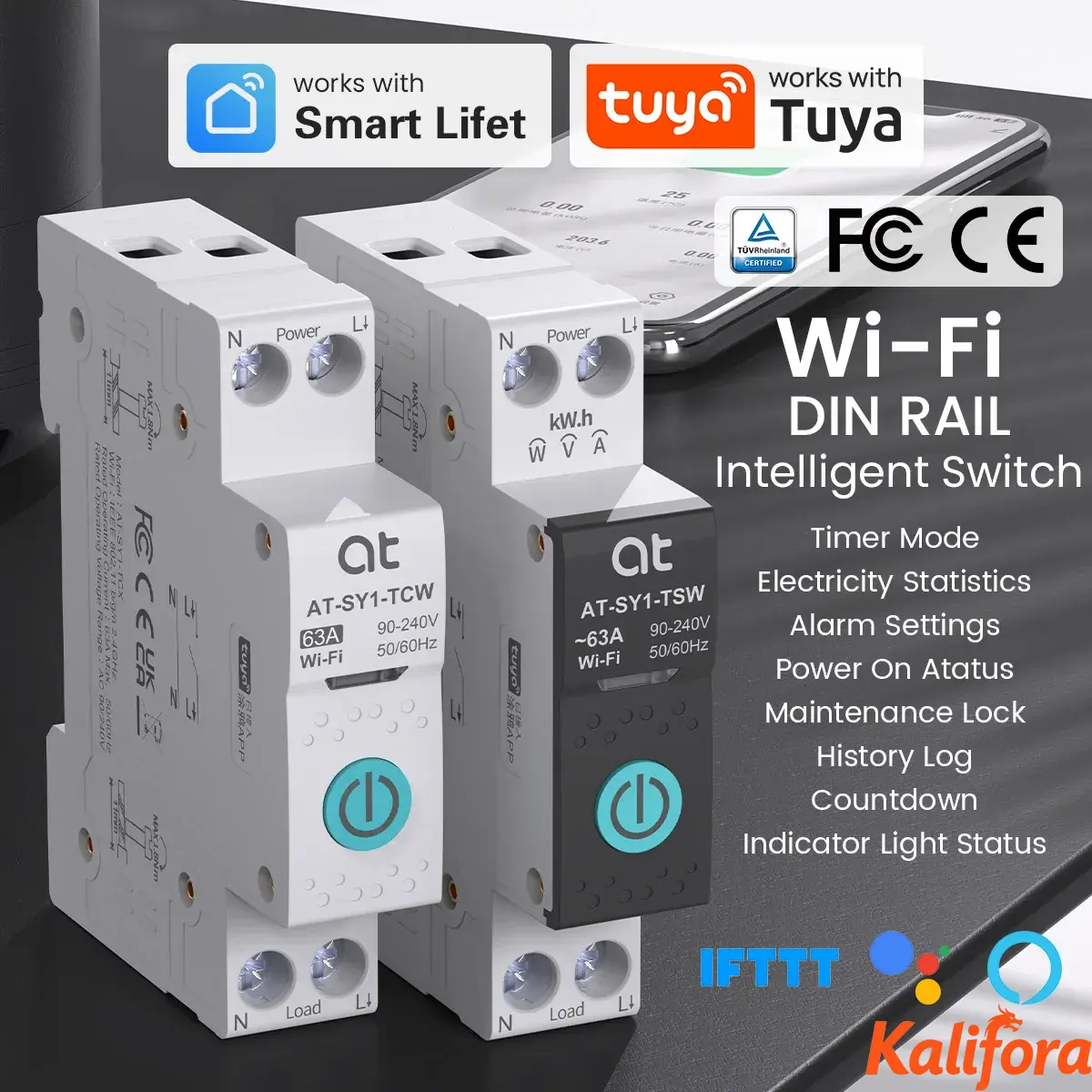
TUYA WIFI Smart Circuit Breaker Power Metering 1P 63A DIN Rail for Smart Home Wireless Remote Control Smart Switch by APP ATELE



| Ordnen nach Preis | Ordnen nach Verfügbarkeit | Ordnen nach Art.-Nr. | Ordnen nach Variant |
|---|---|---|---|
|
$4480
|
Auf Lager
|
DH-3261-bcb6806a6d9425e9a565edd5
|
Variant:
|

$4324
|
Auf Lager
|
DH-3261-74bea8c09b66532d2b4e4651
|
Variant:
|

$9412
|
Auf Lager
|
DH-3261-7aea6fabb08f2562029add4f
|
Variant:
|

Stadt: EN, Sheridan
Notice:
This device is not compatible with Home Assistant, please use the device in SMART LIFE APP/ TUYA APP.
Wiring: Power must enter from the top and must be Live line + Neutral Line (L+N). Live line + Live line (L+L) cannot be used.
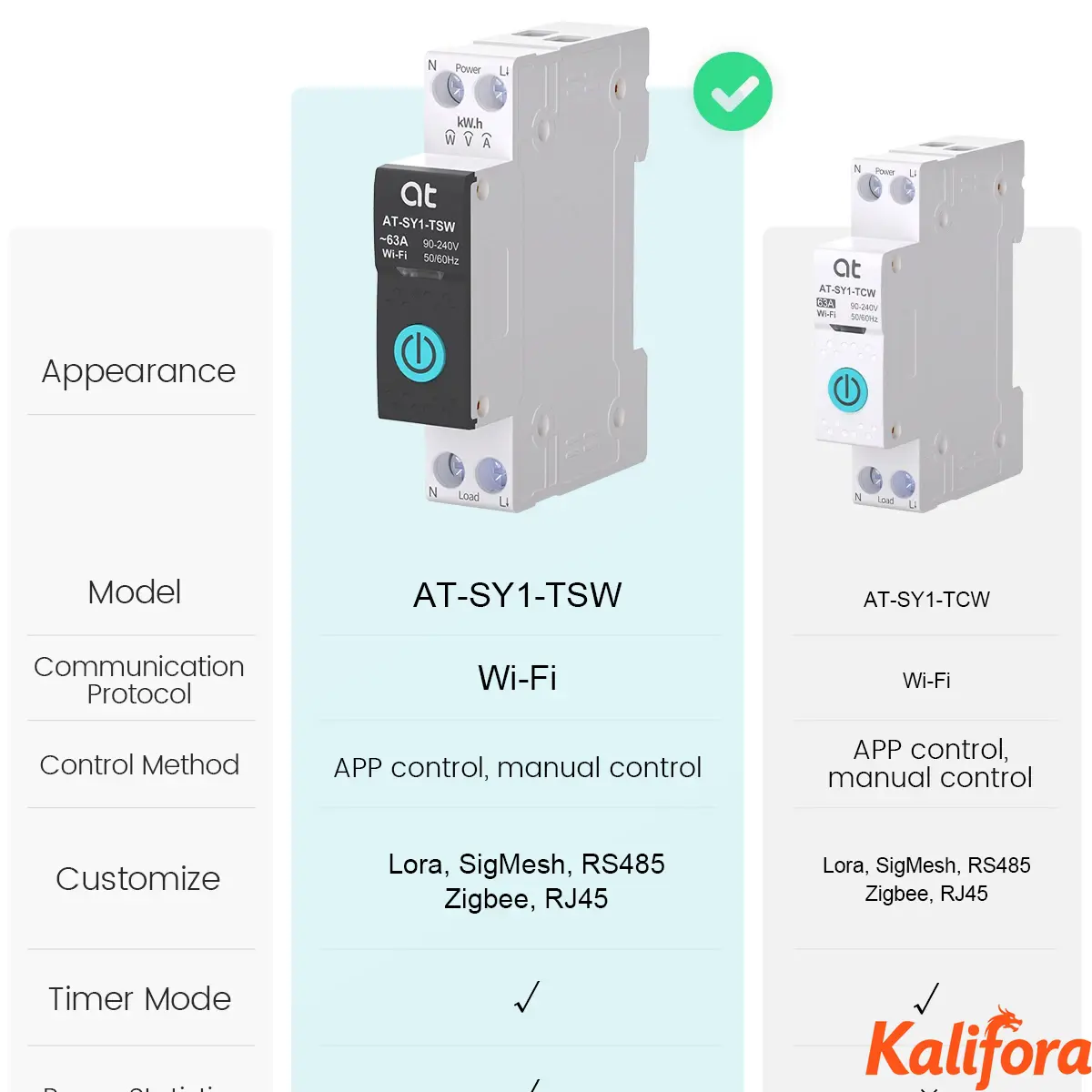
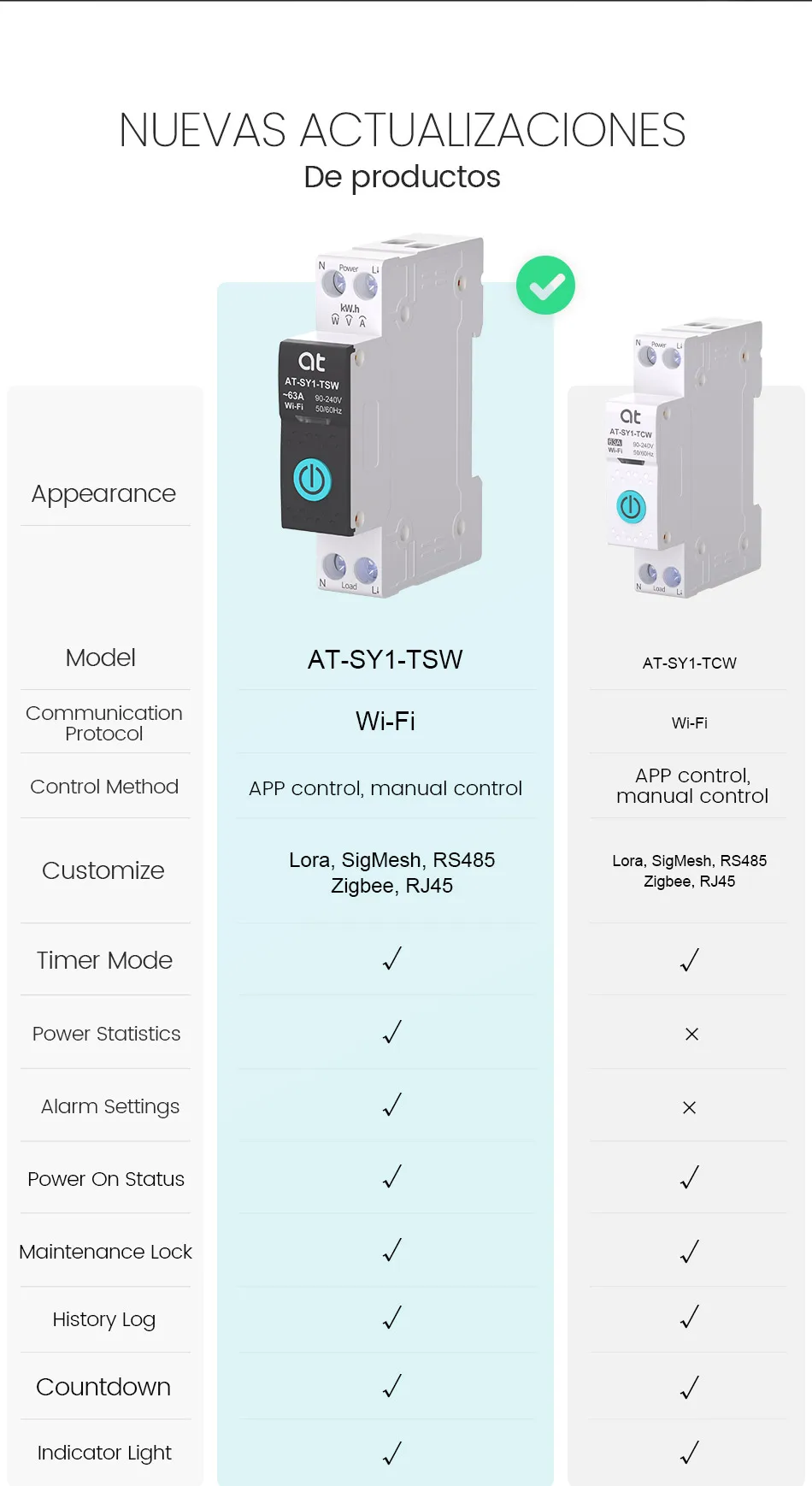
The white model has no power meter function
The Black model with power meter function
Both models have overcurrent and overvoltage protection, which can be set in the app.
Feature:
Remote control at anytime from anywhere by TUYA / Smart Life app on mobile ,no distance limit.
Schedule /Timing, countdown, cycle timing,Astronomical timing.
Voice control by Amazon Alexa echo dot / Google assistant
Parameter:
Working voltage:AC90-240V,50/60Hz
Current type:63A
Wireless type:Wi-Fi 2.4GHz
Support system:Android\iOS
DIN RAIL
Intelligent Switch
Into Smart With Your DIY Idea
Remote control by mobile phone, Tuya Smart/Smart Life Edition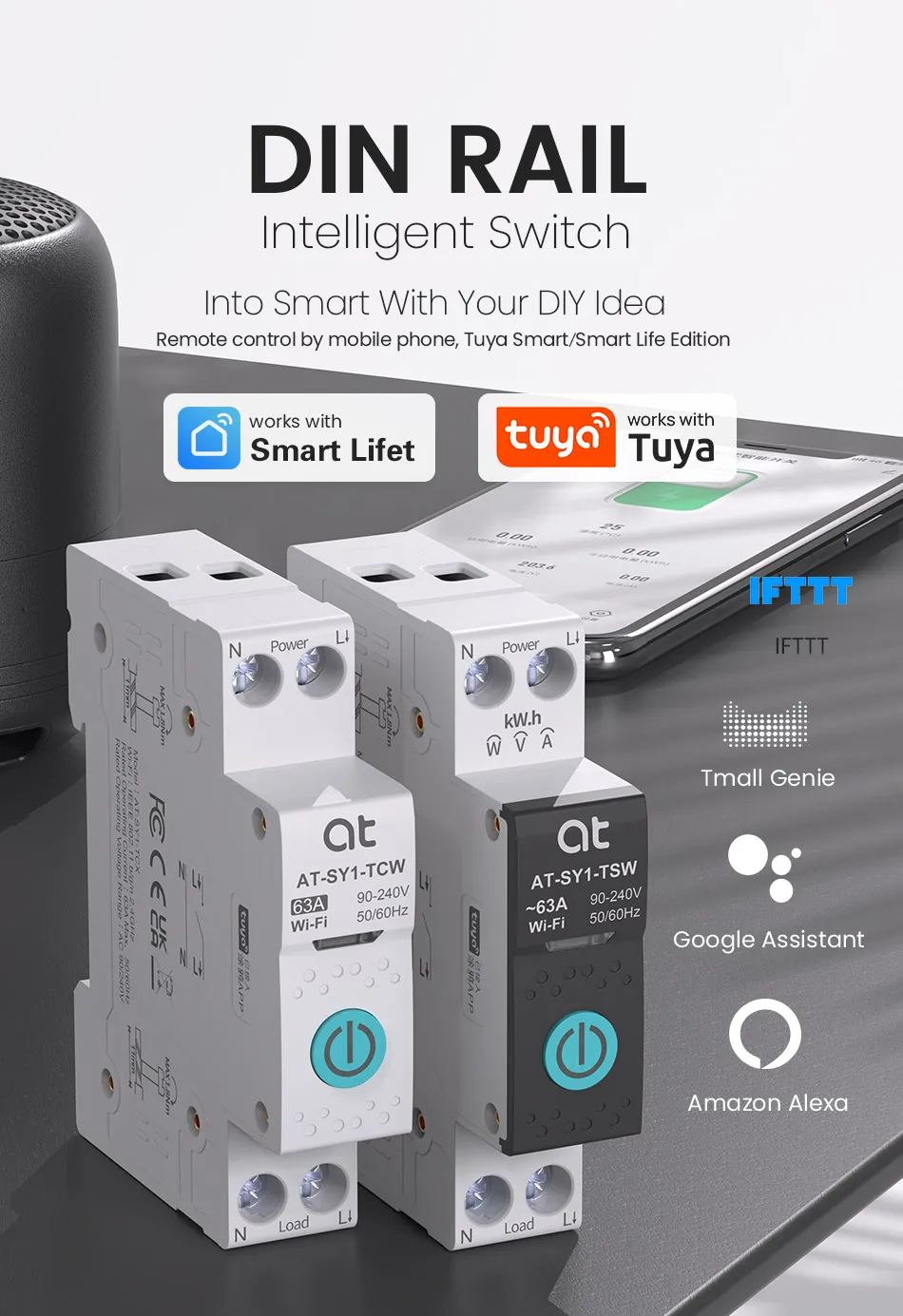
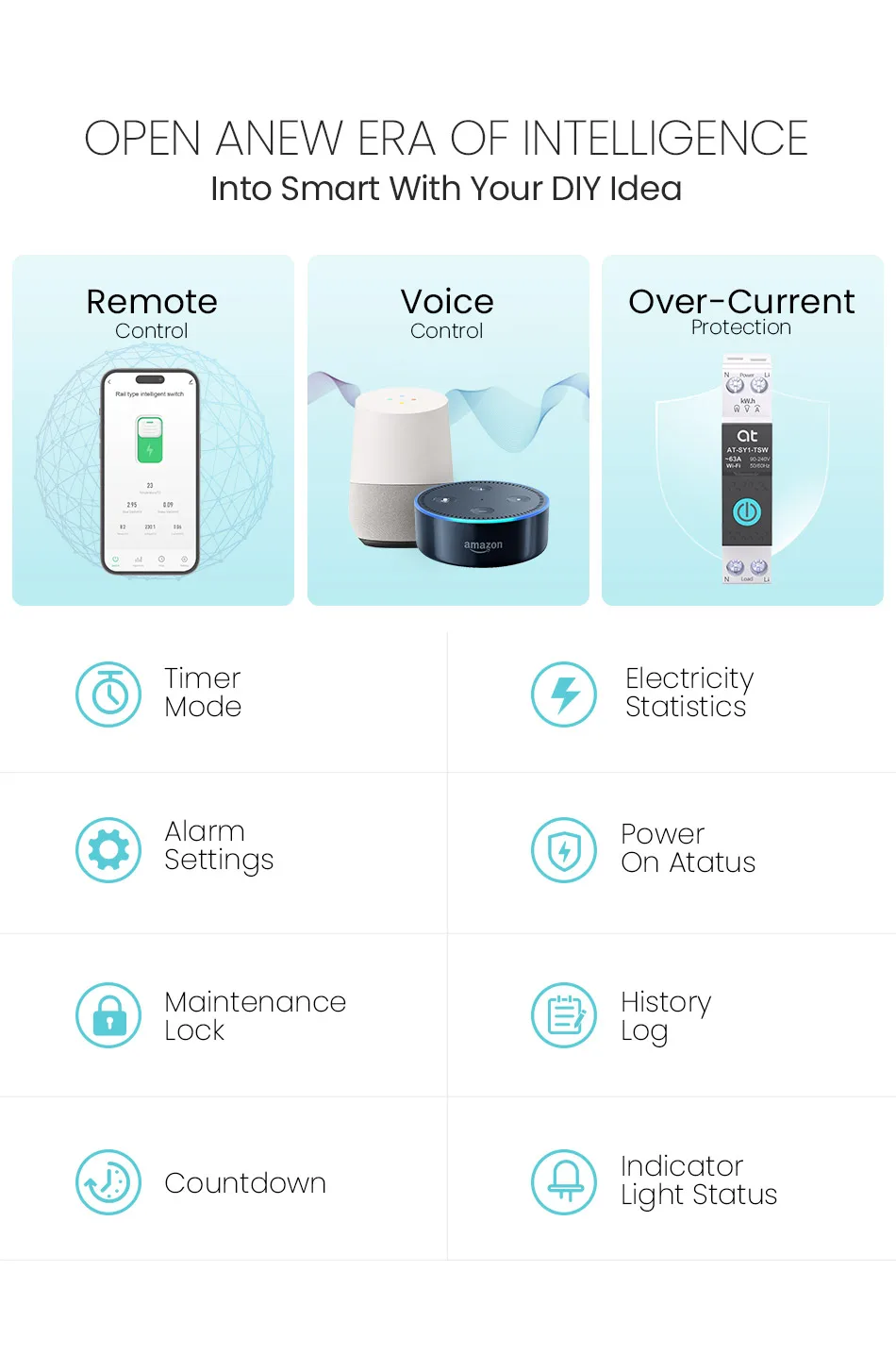
OPEN ANEW ERA OF INTELLIGENCE
Into Smart With Your DIY Idea
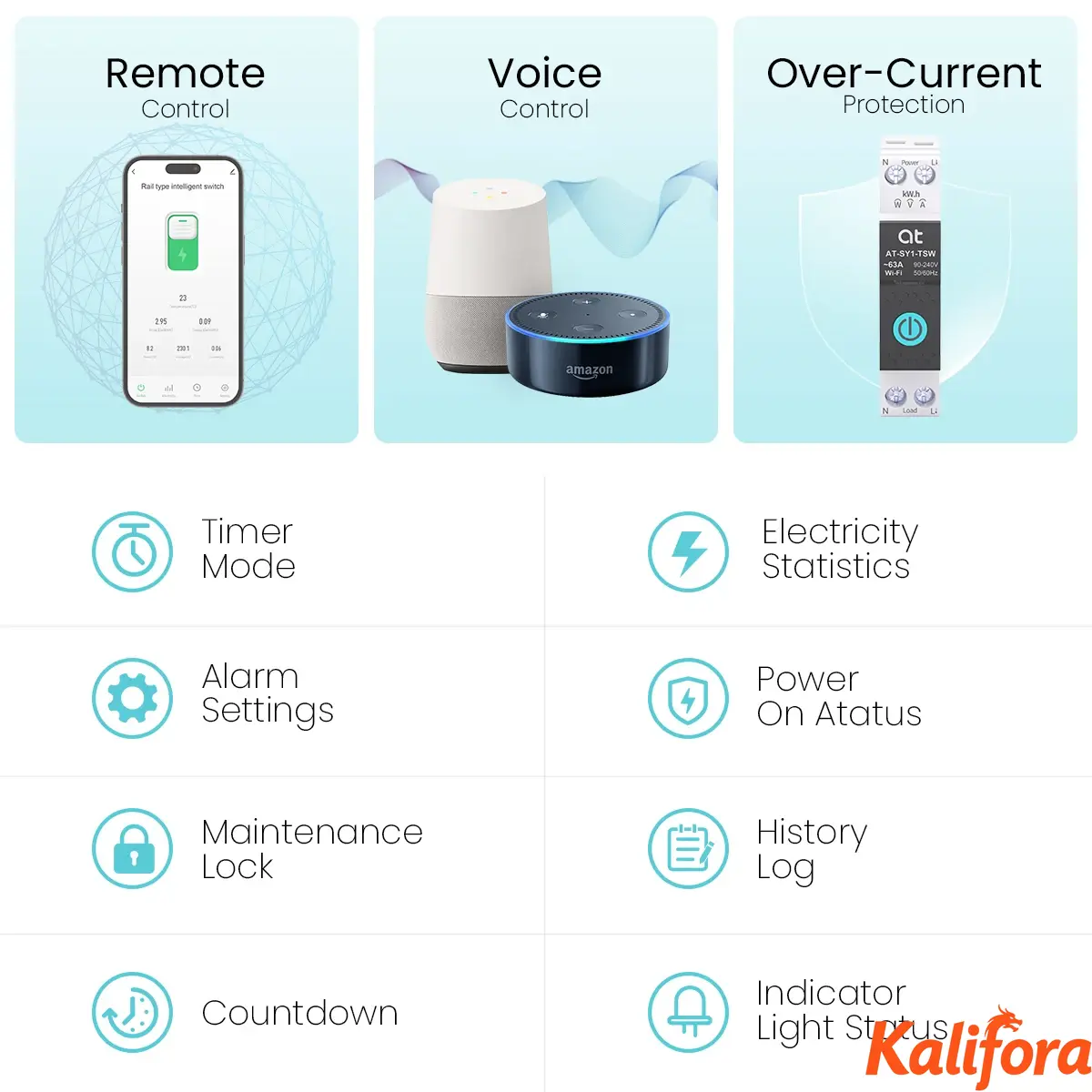
1. Remote Control
2. Voice Control
3. Over-Current Protection
4. Timer Mode
5. Electricity Statistics
6. Alarm Settings
7. Power On Status
8. Maintenance Lock
9. History Log
10. Countdown
11. Indicator Light Status
SETTING
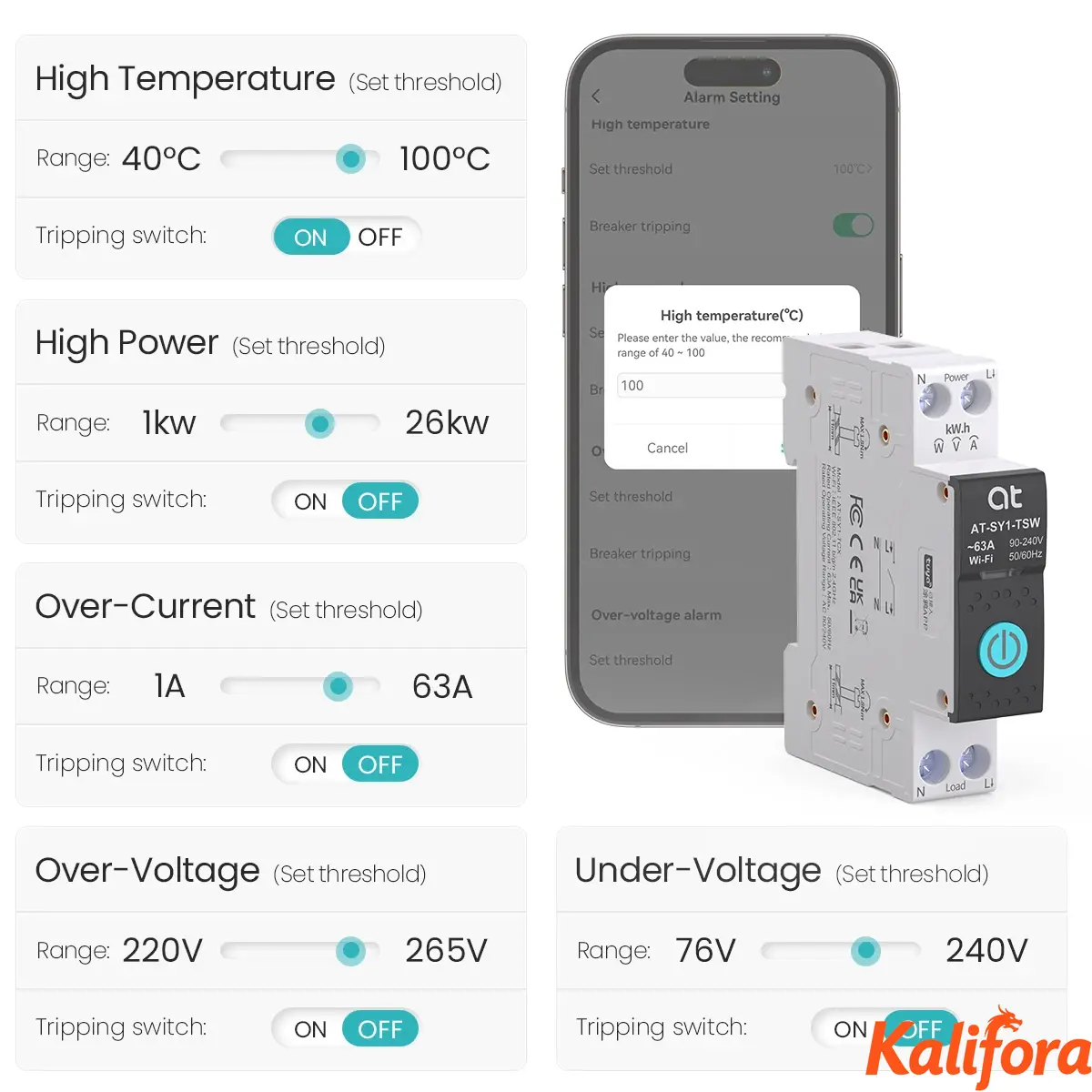
Alarm Setting(AT-SY1-TSW,AT-SY1-TSZ)
Functional protection, the alarm function is automatically turned on after setting the threshold, and the protection tripping switch can be turned on or off.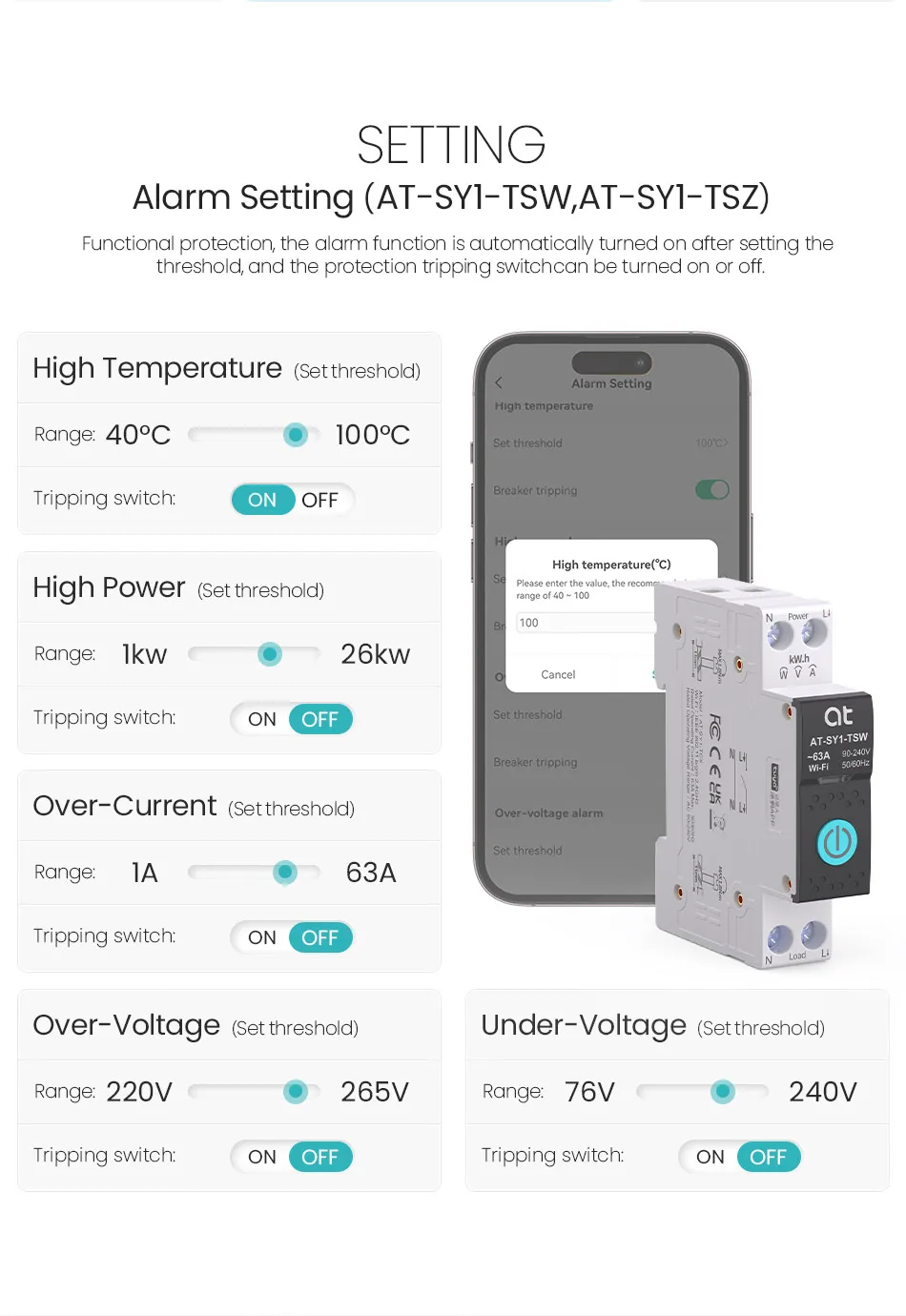
METERING FUNCTION
kWh, Voltage, Current
Setting the device status of the equipment in different scenarios and remotely monitoring the real-time situation of the electrical appliances under load.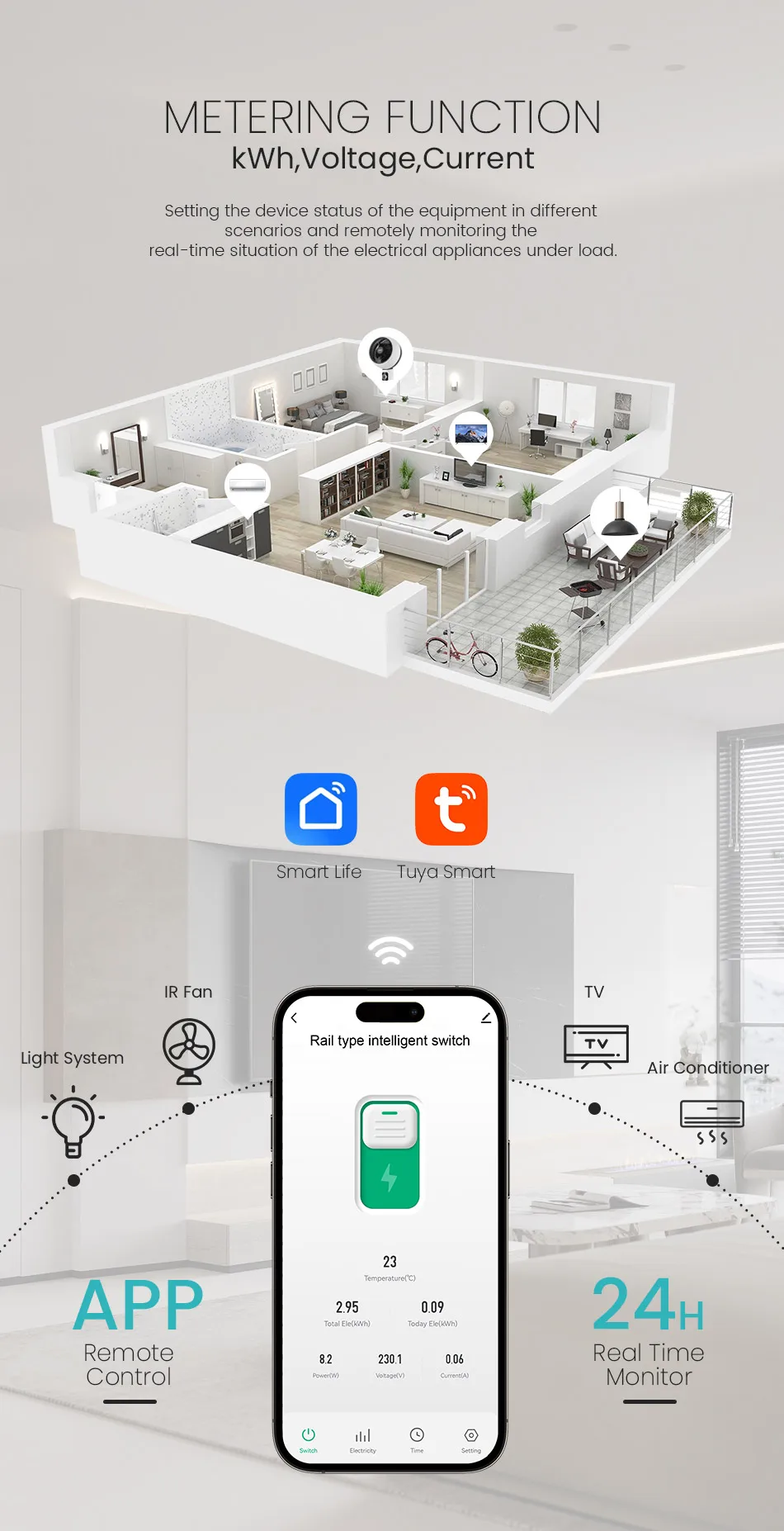
VISIBLE SECURITY
Mobile APP reminder for circuit failure
Upgraded protection, rest assured life
Prevention
Hidden danger from short circuit, over power, over voltage, under voltage, high temperature, and electric shock.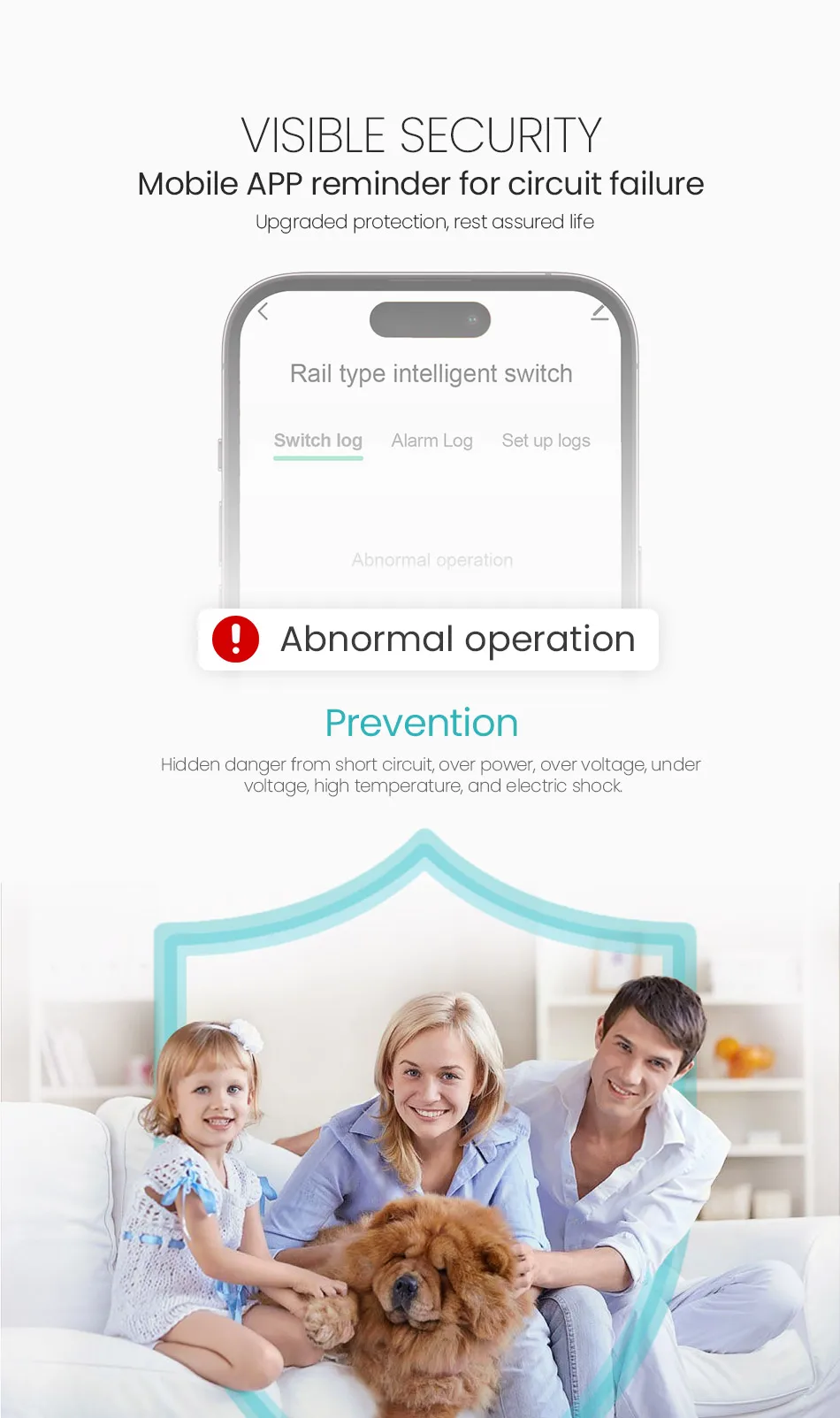
View load current, voltage, power in real-time Record(year,month,day,hour)
Electricity consumption in different time periods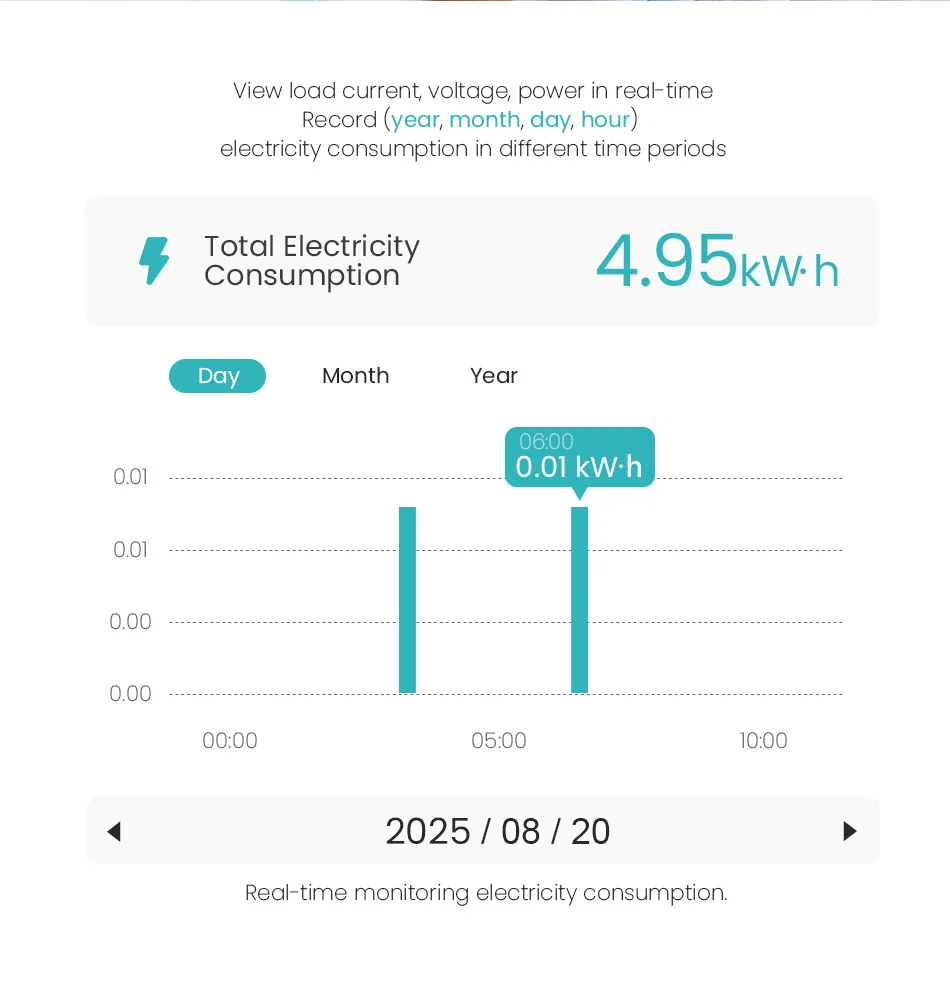
Voice Controls
Voice linkage
Compatible with Amazon Alexa,Google Home.
What do you want to control? Just say it.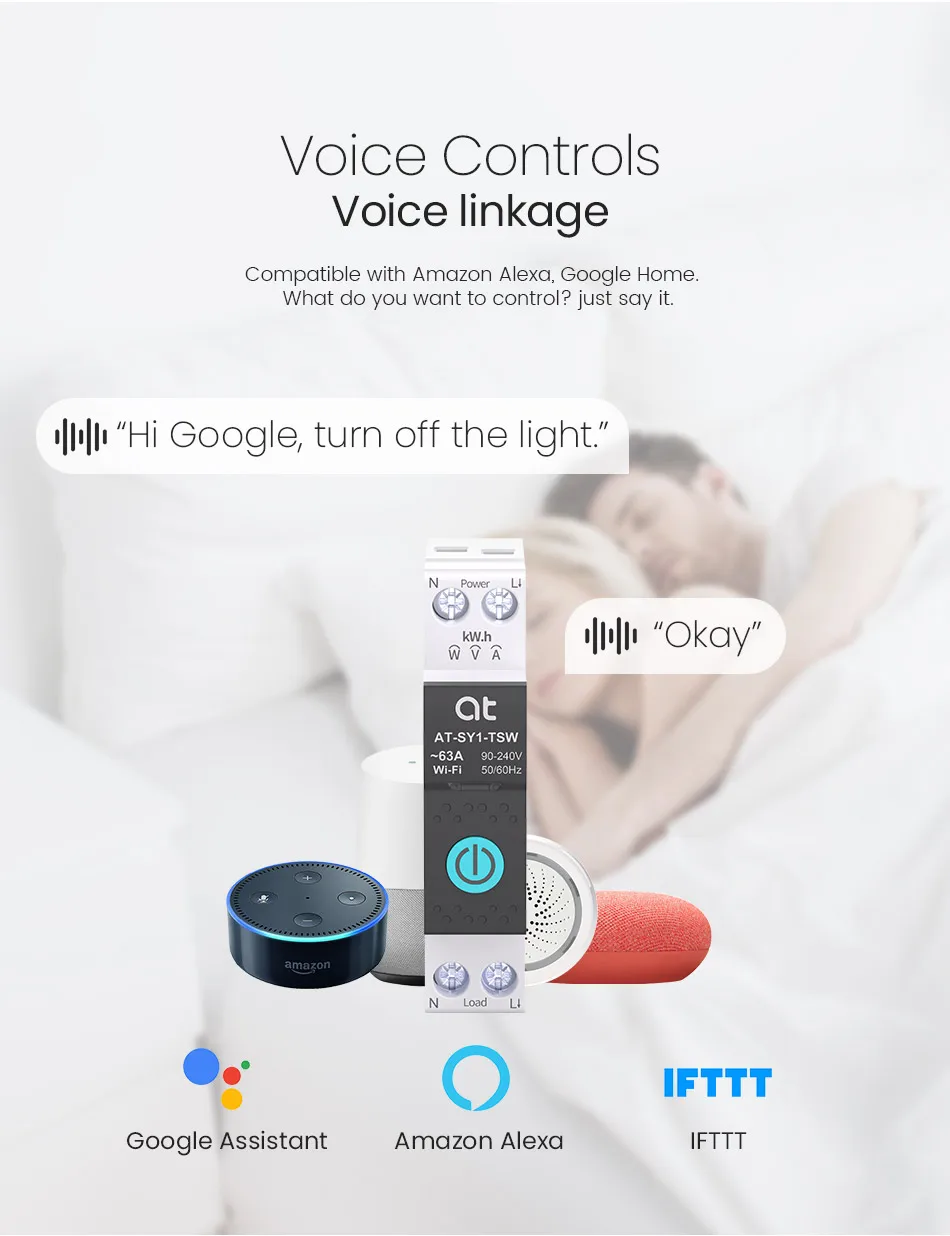
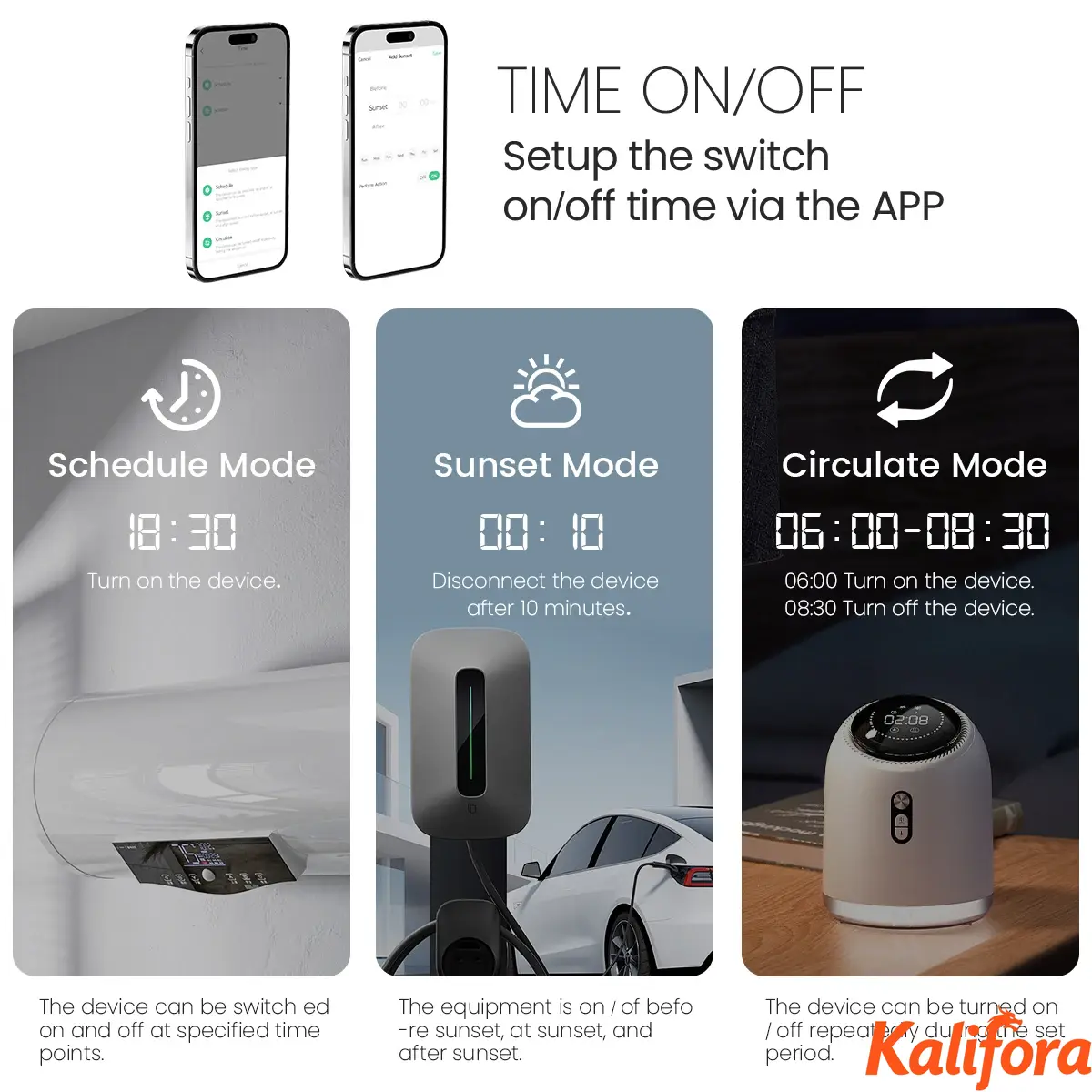
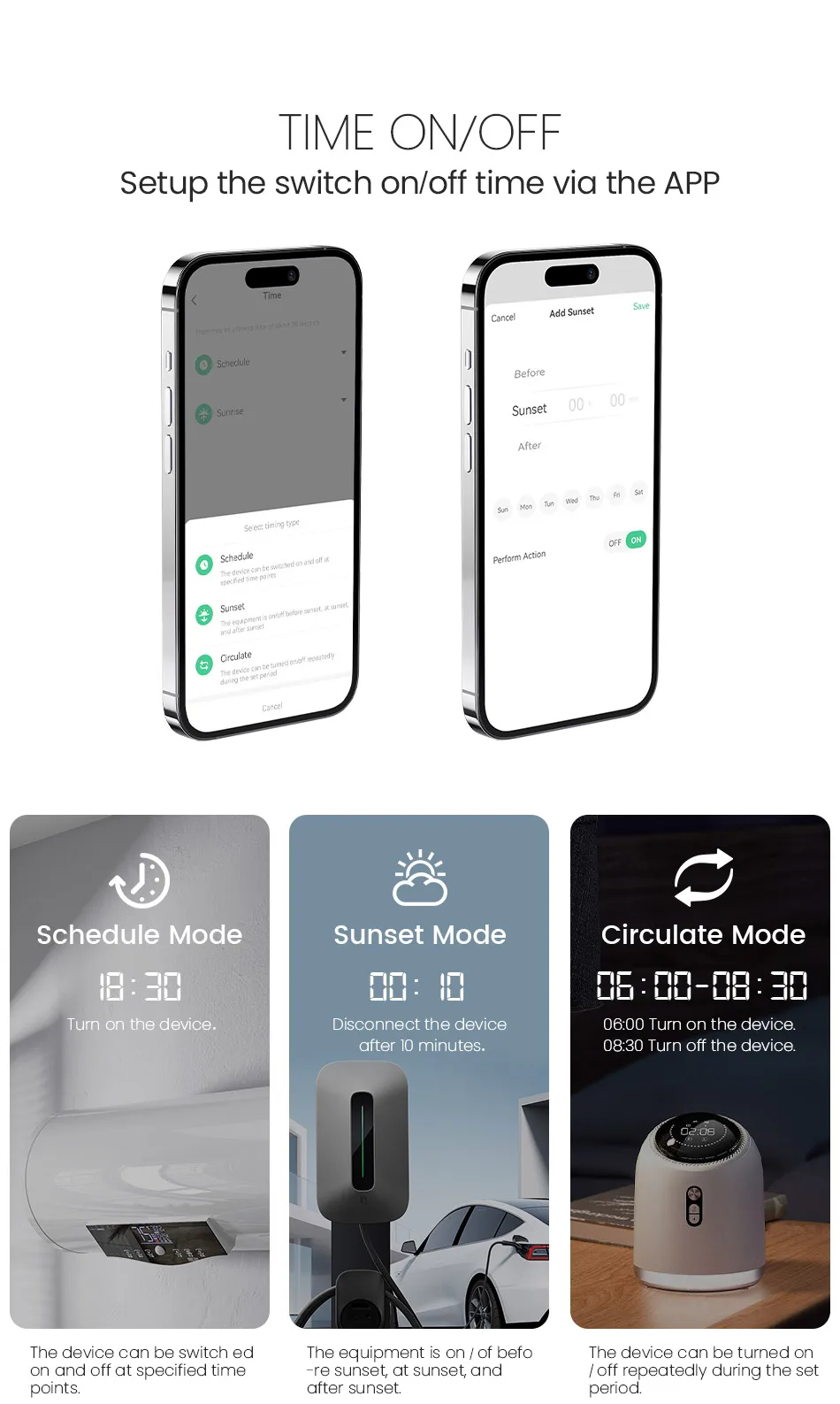
TIME ON/OFF
Setup the switch on/off time via the APP
Schedule Mode: The device can be switch ed on and off at specified time points.
Sunset Mode: The equipment is on/off before sunset, at sunset, and after sunset.
Circulate Mode: The device can be turned on/off repeatedly during the set period.
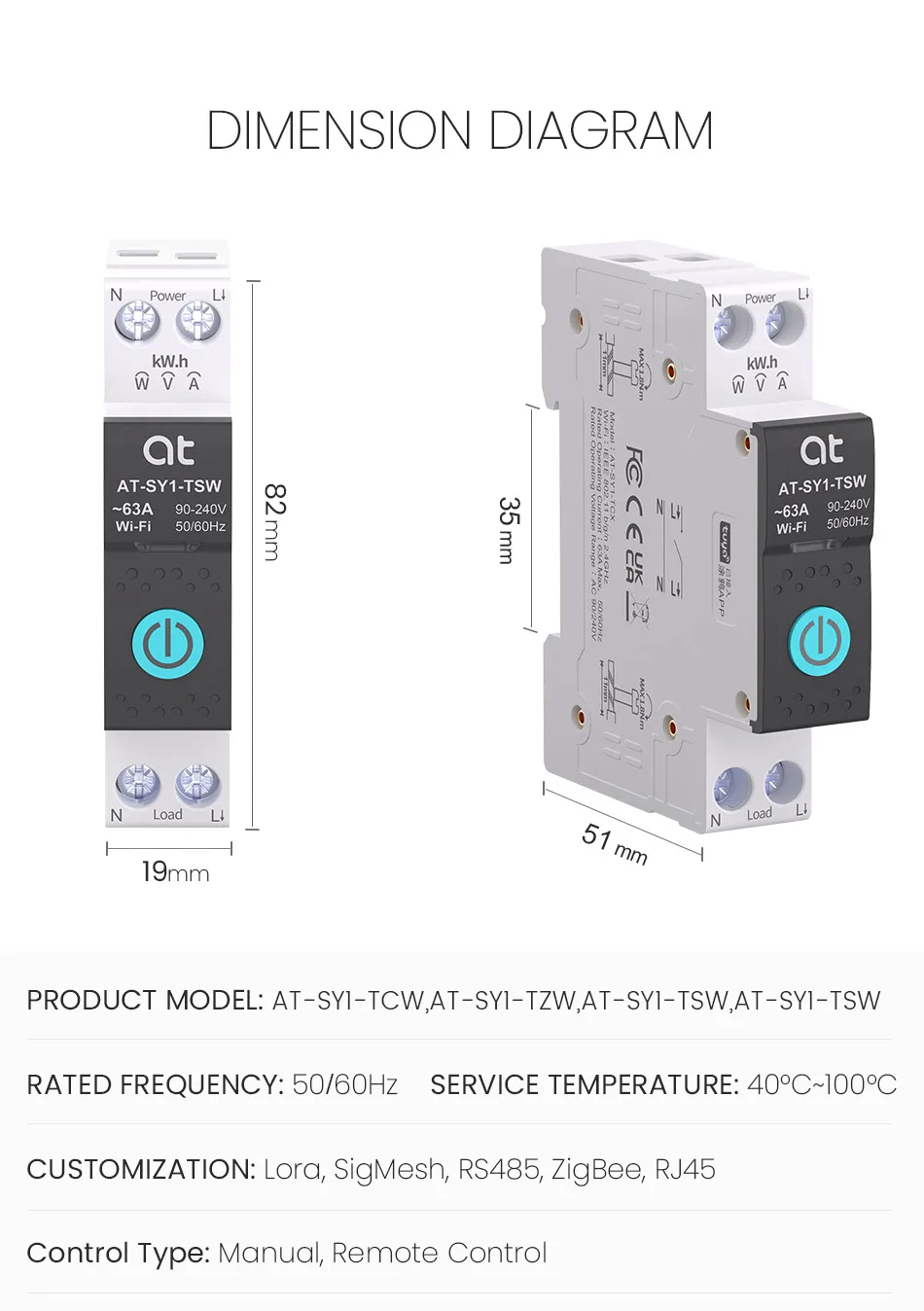
DIMENSION DIAGRAM
PRODUCT MODEL:AT-SY1-TCW, AT-SY1-TSW, AT-SY1-TSZ
RATED FREQUENCY:50/60Hz SERVICE TEMPERATURE:40℃~100℃
CUSTOMIZATION:Lora, sigMesh, RS485, ZigBee, RJ45
Control Type:Manual, Remote Control
Details
Benefit Your Life
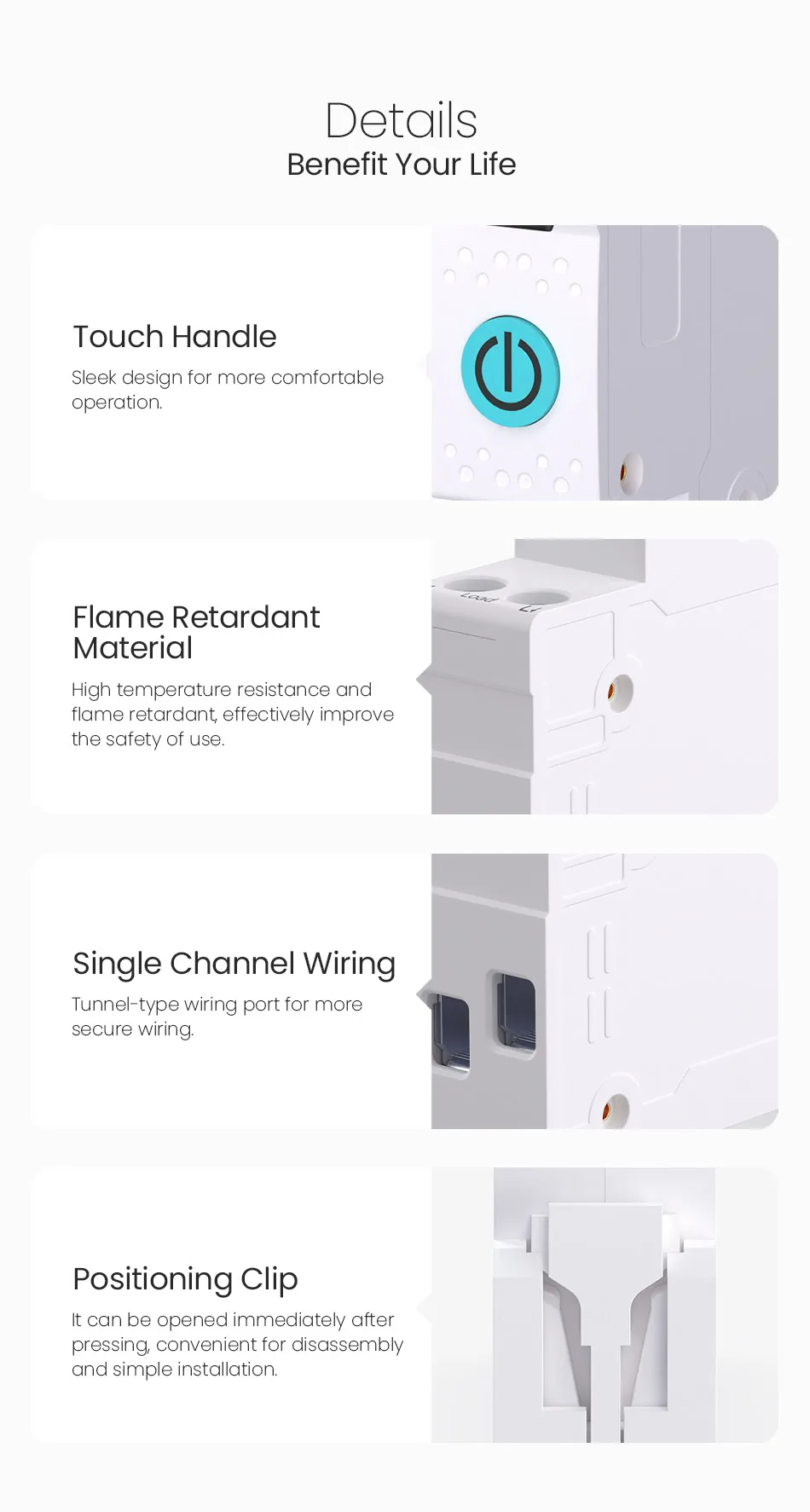
Touch Handle: Sleek design for more comfortable operation.
Flame Retardant Material: High temperature resistance and flame retardant, effectively improve the safety of use.
Single Channel Wiring: Tunnel-type wiring port for more secure wiring.
Positioning Clip: It can be opened immediately after pressing, convenient for disassembly and simple installation.
Network Pairing
Benefit Your Life
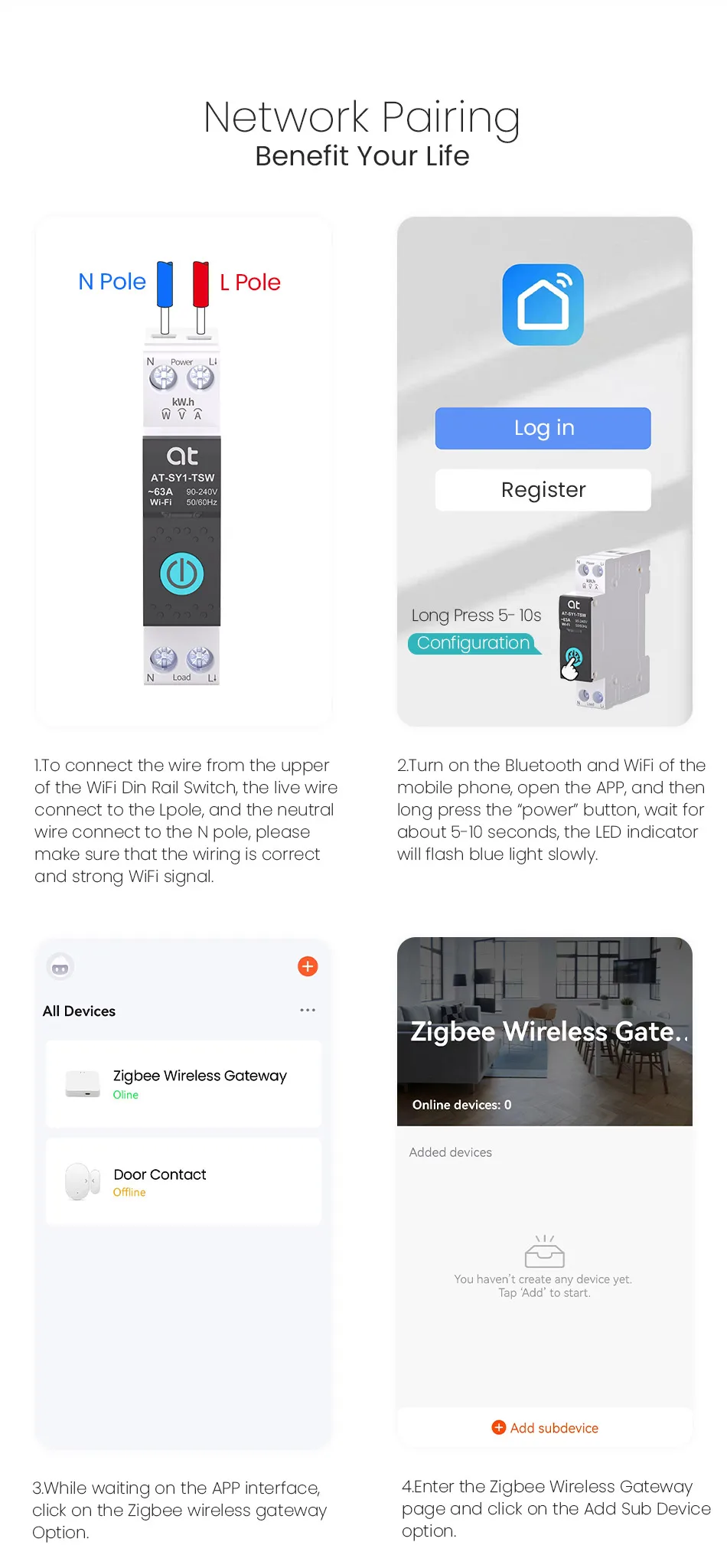
1. To connect the wire from the upper of the WIFI Din Rail Switch, the live wire connect to the L pole, and the neutral wire connect to the N pole, please make sure that the wiring is correct and strong WIFI Signal.
2. Turn on the Bluetooth and WIFI of the mobile phone, open the APP, and then long press the “power”button, wait for about 5-10 seconds, the LED indicator will flash blue light slowly.
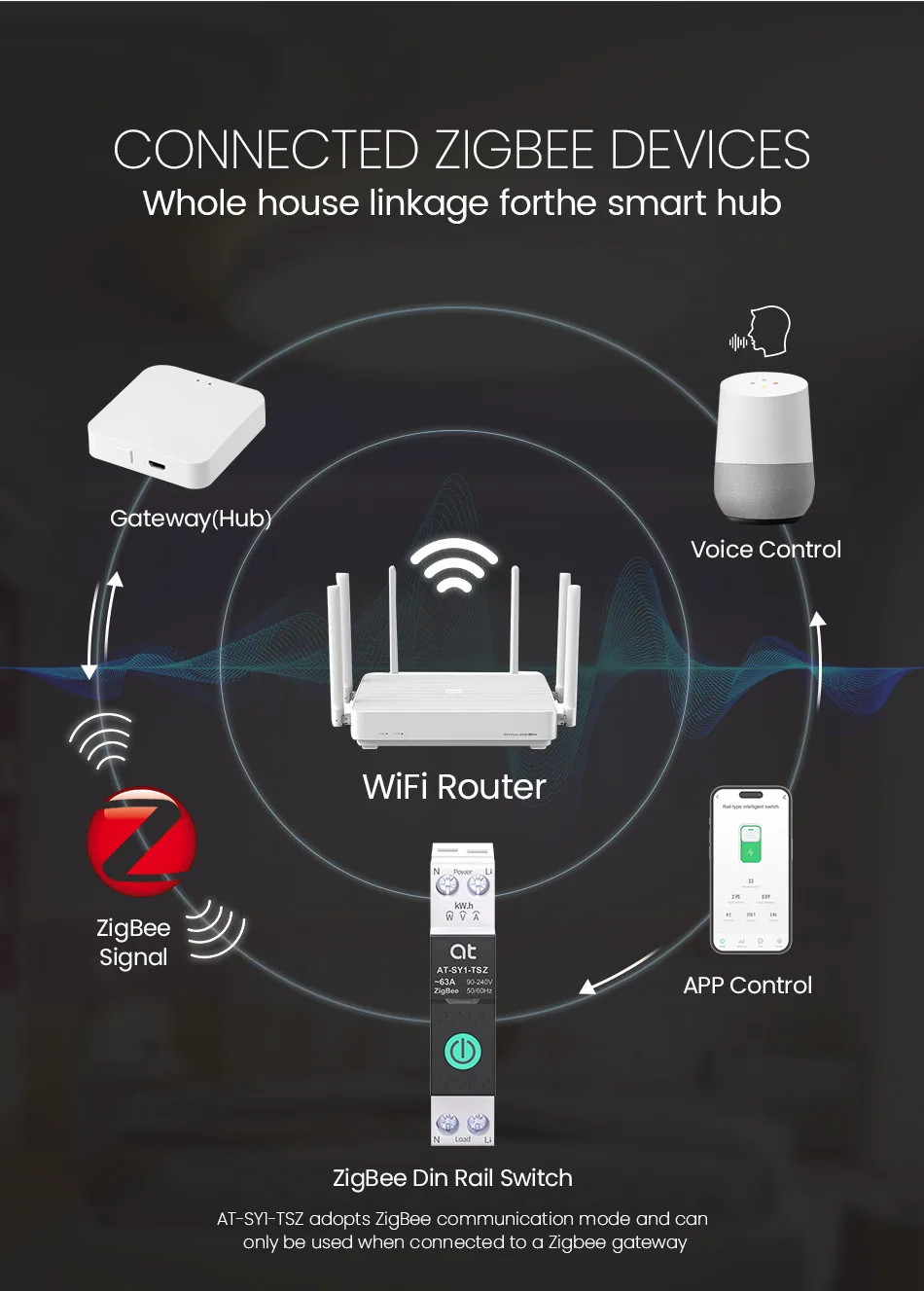
3. While waiting on the APP interface, click on the ZigBee wireless gateway option.
4. Enter the ZigBee Wireless Gateway page and click on the Add Sub Device option.
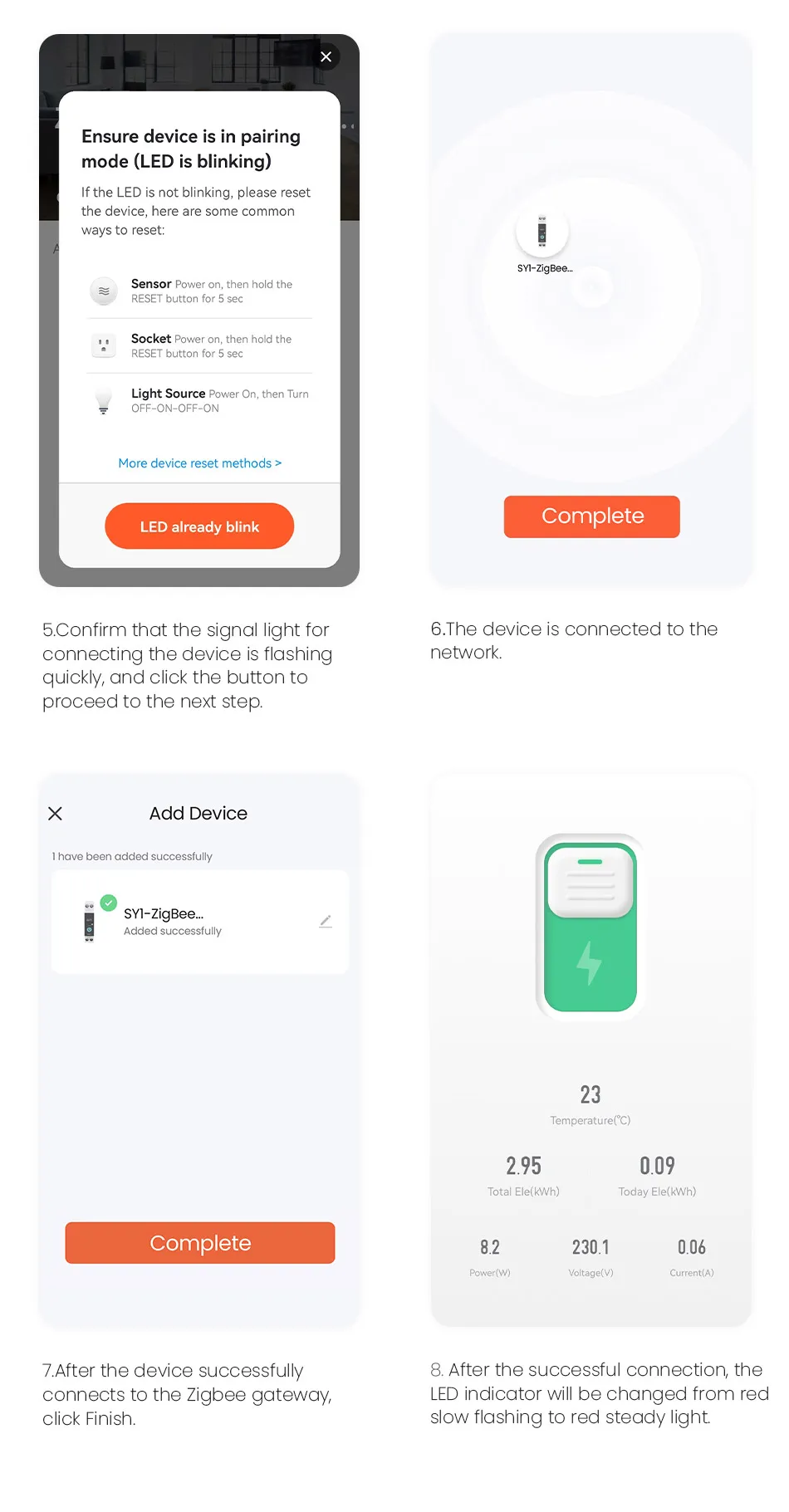
5. Confirm that the signal light for connecting the device is flashing quickly, and click the button to proceed to the next step.
6. The device is connected to the network.
7. After the device successfully connects to the ZigBee gateway, click Finish.
8. After the successful connection, the LED indicator will be changed from red slow flashing to red steady light.
Product specifications
| Brand Name | ATELE |
|---|---|
| Does it include wireless functionality? | Yes |
| Does it include a Battery? | No |
| EU LVD Voltage | Low voltage: Below 50Vac or 75Vdc |
| Type | Mini |
| Country of origin | China |
| Rated Voltage | 220V |
| Type | Circuit breaker |
| Model Number | AT-SY1 |
| Is Smart Device | Yes |
| Certification | CE |
| Certification | FCC |
| Certification | RoHS |
| Color | Black and White |
Keine Bewertungen gefunden